PixMiller PixMiller
Home / Tools / Signature Background Remover
AI image tool

Signature Background Remover

Photograph or scan your handwritten signature, remove the paper background and download a transparent PNG for Word documents, PDFs and contracts.

Drop in a photo or scan of your signature JPG / PNG / WebP / HEIC · up to 20 MB

After example image
Before example image
Before After

How to make your signature transparent

  1. 1 Photograph or scan it Sign on plain paper with a dark pen, then take a sharp, straight-on photo in even light — or scan the page. Let the signature fill most of the frame.
  2. 2 Remove the paper background PixMiller lifts the ink off the page automatically. Paper texture, shadows and the grey tint of a scan go away with the background — no tracing, no eraser tool.
  3. 3 Save it as a transparent PNG Check the preview for free, then download the HD PNG. Only the pen strokes are left, on a transparent background.
  4. 4 Sign Word, PDF and contracts Insert the PNG into a Word document, Google Docs or a PDF editor, scale it to the signature line and save. Reuse the same file for every document you sign.

Signatures on any paper, in any light

Different paper, lighting and ink colors — before and after the background is removed.

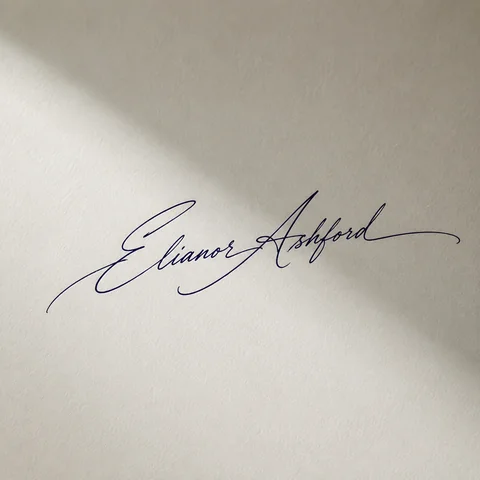
Transparent PNG: Blue ballpoint on white paper, photographed under a warm desk lamp
Original photo: Blue ballpoint on white paper, photographed under a warm desk lamp
Before After
Blue ballpoint on white paper, photographed under a warm desk lamp
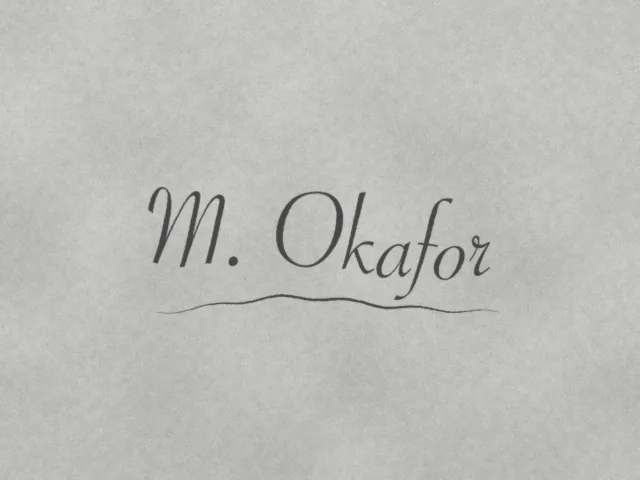
Transparent PNG: Black gel pen on a grey, low-contrast office scan
Original photo: Black gel pen on a grey, low-contrast office scan
Before After
Black gel pen on a grey, low-contrast office scan
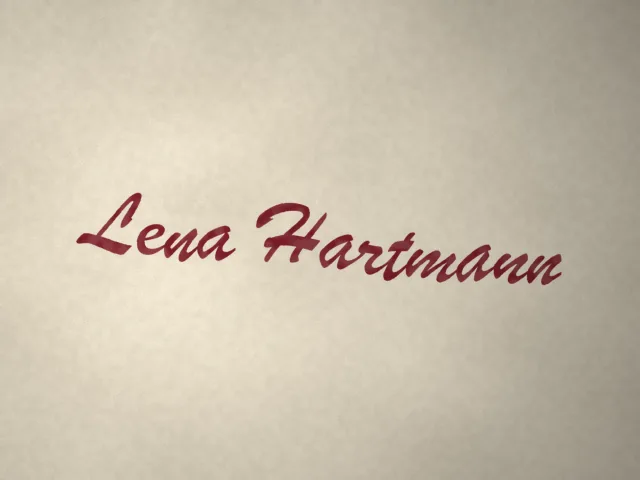
Transparent PNG: Dark red fountain pen on cream paper in window light
Original photo: Dark red fountain pen on cream paper in window light
Before After
Dark red fountain pen on cream paper in window light
Fast results Get publish-ready images in seconds, not hours.
Studio quality Clean edges and natural detail — no manual touch-ups needed.
Private & secure 256-bit SSL; images auto-delete within 3 days.

Where you can use it

Real scenarios where Signature Background Remover replaces a reshoot or hours of manual editing — and the tool that naturally comes next.

After example image
Before example image
Before After
Designers · marketers · content creators

Design assets and poster bases

Drop the transparent PNG straight into Photoshop, Canva or any design tool — it becomes a reusable design asset instantly, sparing you the repetitive outlining work. It works just as well on scanned signatures, logos and AI-generated art from tools like Midjourney — one pass turns any of them into a clean transparent cutout.

  • Transparent output — layers composite directly
  • Signatures, logos and AI art come out clean too
  • Lossless HD, ready for print and large format
Next: turn your cutout into stylized art with Portrait Stylizer →

Frequently asked questions

How do I make a signature background transparent?

Upload a photo or scan of your signature and PixMiller strips the paper background automatically — no tracing needed. You get a clean transparent PNG ready to drop into contracts, PDFs and email signatures.

How do I insert a transparent signature into a Word document?

In Word, choose Insert › Pictures and pick the downloaded PNG. Set Wrap Text to In Front of Text, then drag the signature onto the signature line and resize it from a corner. The transparent background keeps the line and text underneath visible. In Google Docs, use Insert › Image and set the image to In front of text.

How do I add my signature to a PDF or contract?

Open the PDF in an editor that can add images — for example Adobe Acrobat's Fill & Sign, which accepts an image as your signature — place the PNG on the signature line and resize it. Only the ink is left, so it sits on the page like a pen signature. Some contracts require a certified e-signature service instead of an image; check with the other party if you are unsure.

My scanned signature looks grey. Can it be fixed?

Yes. Scanners often turn white paper light grey and soften faint ink. The grey paper tone is removed along with the rest of the background, so only the strokes remain. For the cleanest result, sign with a black or dark blue pen rather than pencil and scan at 300 dpi or more.

Is the resolution good enough for printing?

The HD download keeps your source resolution, up to 4096 × 4096 pixels, so quality depends on the photo you start with. A signature that fills most of a phone photo, or a 300 dpi scan, prints sharp at normal signature size. Avoid tiny crops and screenshots.

Which image formats and sizes are supported?

JPG, PNG, WebP, BMP and HEIC/HEIF (iPhone photos) — up to 20MB per image and 5000px on the longest edge. HEIC and HEIF files convert automatically, so you can drop iPhone shots straight in.

You may also need

After example image
Before example image
Before After
Try now
Background Remover Hot One-click background removal — transparent PNG
After example image
Before example image
Before After
Try now
Object Eraser Brush away passersby, clutter and unwanted objects
After example image
Before example image
Before After
Try now
Portrait Stylizer Turn photos into anime, oil painting, 3D
Start using PixMiller today Get started free